
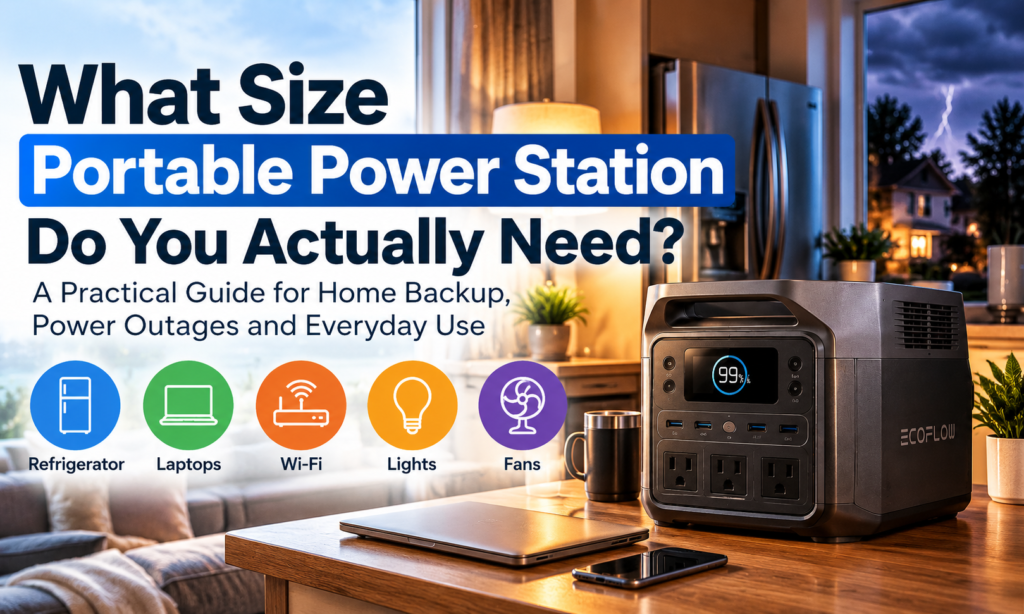
Quick answer: The right portable power station size depends on what you need to power and for how long — not on how large a battery you can afford. Most households land somewhere between 250Wh (basic electronics) and 2000Wh+ (refrigerators, multiple appliances, extended outages). Calculate your actual wattage needs first, then match that number to a battery capacity.
A portable power station can keep your phone charged during an outage, run your Wi-Fi equipment, power a laptop, and—in some cases—even keep a refrigerator operating.
But choosing one gets confusing quickly.
You start seeing specifications like:
The biggest mistake is assuming that the largest power station you can afford is automatically the best choice.
It isn’t.
The better question is:
What do you actually need to power, and how long do you need to power it?
Once you answer that question, choosing the right size becomes much easier — which is exactly what this portable power station size guide walks you through.
Affiliate Disclosure: One Knowledge Grid may earn a commission from qualifying purchases made through links in this article, including purchases made through Amazon. This does not increase the price you pay. Product references are included because they relate to the consumer problem being discussed.
Battery Capacity | Best For | Typical Uses |
|---|---|---|
250–500Wh | Light backup and travel | Phones, laptops, router, lights, small fans |
500–1000Wh | Moderate backup | Electronics, television, CPAP, small appliances |
1000–2000Wh | Household essentials | Refrigerator, router, lights, laptops, multiple devices |
2000Wh+ | Larger or longer backup needs | Multiple appliances, extended outages, expandable systems |
These ranges are starting points.
Your actual needs depend on the wattage of your devices, how many you want to run at once, and how long you need them to operate.
If you are already considering a roughly 1000Wh system, one example is the EcoFlow DELTA 3 Classic, which has 1024Wh capacity and 1800W AC output.
Check the current EcoFlow DELTA 3 Classic price on Amazon
Direct answer: Watts measure how much power a device needs right now; watt-hours (Wh) measure how much energy a battery stores in total. You need to know both numbers before sizing a portable power station.
You do not need to become an electrician to buy a portable power station.
But there are two numbers you should understand.
Watts tell you how much power a device requires while it is operating.
A phone charger needs relatively little power.
A refrigerator needs considerably more.
A microwave, electric kettle, hair dryer, or space heater can require much more.
Your portable power station needs enough output capacity to operate whatever you plug into it.
That means having a large battery is not enough.
A unit could contain plenty of stored energy but still be unable to operate an appliance if that appliance requires more power than the station can deliver at one time.
Watt-hours, usually written as Wh, tell you approximately how much energy is stored inside the battery.
A 1000Wh battery has roughly twice the stored capacity of a 500Wh battery.
That does not mean every watt-hour will reach your devices.
Some energy is lost through normal power conversion and operation.
But watt-hours still provide one of the easiest ways to compare portable power station capacity.
Direct answer: Multiply your device’s wattage by the number of hours you want to run it, then add extra capacity to cover conversion losses.
Start with this basic formula:
Device wattage × hours of use = watt-hours required
For example, if a device uses approximately 100 watts and you want to operate it for five hours:
100 watts × 5 hours = 500Wh
In real life, however, you should build in additional capacity.
If your calculation says you need exactly 500Wh, buying a 500Wh unit may not provide the full five hours you expect because of conversion losses and changing power demand.
That is why sizing slightly above your estimated requirement can make sense.
Direct answer: A 250–500Wh portable power station is best suited for charging personal electronics and providing light during short outages, travel, or camping trips.
Smaller portable power stations are best when your main goal is keeping communication and personal electronics working.
They may be useful for:
This range can make sense if your emergency plan is essentially:
“I need to stay connected, keep my devices charged, and have some light until the power comes back.”
It can also work well for travel, camping, road trips, and remote work.
Apartment dwellers, travelers, remote workers, and households that want basic emergency power without purchasing a large battery system.
Direct answer: A 500–1000Wh power station suits households that need more than phone charging but aren’t trying to back up several large appliances at once.
Moving into the 500–1000Wh range gives you more flexibility.
Depending on the specific unit and device requirements, you may be able to power:
This range can work well for households that want more than phone charging but are not trying to back up several large appliances.
Home-office backup, short outages, camping, RV use, and moderate emergency preparedness.
Direct answer: For many households, roughly 1000Wh is the point where a portable power station becomes a genuine backup tool for essentials like a refrigerator, router, and a few devices — as long as you prioritize what runs.
For many consumers, approximately 1000Wh is where a portable power station starts becoming a more serious home-backup tool.
A unit in this range may allow you to prioritize several essential devices, including:
The key word is prioritize.
You may not want everything running simultaneously.
If you reserve battery power for essential devices, you can stretch the available energy much farther.
The EcoFlow DELTA 3 Classic is one example in this category.
It has approximately:
That makes it a useful example of the type of unit someone might consider for household essentials, emergency backup, travel, or other moderate-to-higher power needs.
View the EcoFlow DELTA 3 Classic on Amazon
This does not mean a 1024Wh model is automatically the right choice for every household.
You still need to calculate what you plan to power.
Direct answer: A 1500–2000Wh system is worth considering if you want to run a refrigerator, freezer, and several other essentials together, or need backup during longer outages — but expect a higher price, more weight, and longer recharge times.
As your expectations increase, so does the battery capacity you may need.
A 1500–2000Wh system may make sense if you want to operate:
However, there are tradeoffs.
Larger power stations generally:
Buying more battery than you need can mean spending hundreds of dollars on capacity that rarely gets used.
Direct answer: Systems above roughly 2000Wh support multiple appliances, longer runtimes, and expandable battery setups — useful for RVs, off-grid living, or households wanting extensive backup coverage.
Once you move beyond roughly 2000Wh, you are entering a different level of portable or semi-portable backup power.
These systems may support:
Some systems allow you to connect additional batteries later.
That can be valuable if you want to start with one battery and expand your system over time rather than buying maximum capacity immediately.
Direct answer: In many cases, yes — but you need to look at startup (surge) wattage, not just running wattage, and battery capacity alone won’t guarantee runtime.
In many cases, yes.
But this is where you need to look beyond the battery-capacity number.
A refrigerator may use relatively modest power once it is running, but its compressor can demand additional power during startup.
That means you should consider:
For example, if a refrigerator averages around 100 watts, that does not automatically mean a 1000Wh battery will operate it for exactly 10 hours.
Real-world runtime will generally be lower because of efficiency losses, compressor cycling, and other variables.
If refrigerator backup is one of your main goals, a unit around the 1000Wh class or above may be worth investigating.
See the 1024Wh EcoFlow DELTA 3 Classic on Amazon
A future One Knowledge Grid guide will look specifically at:
Can a Portable Power Station Really Run Your Refrigerator During a Power Outage?
Direct answer: Possibly, but only if the station’s AC output — not just its stored energy — meets the microwave’s power demand.
Possibly.
But a microwave can require considerably more power than many consumers realize.
This is a good example of why battery capacity and power output are not the same thing.
A station could have enough stored energy to run the microwave for several minutes but still be incapable of operating it if the microwave’s power demand exceeds the station’s AC output.
Always compare the appliance’s power requirements with the power station’s rated output.
Direct answer: Space heaters draw around 1,500 watts on high, which drains a portable power station quickly, even one large enough to technically run it.
Portable electric heaters are particularly demanding.
Many use around 1,500 watts on their highest setting.
Even if your portable power station is capable of operating the heater, the battery may discharge very quickly.
That means using a large battery to generate heat may not always be an efficient emergency strategy.
The same concern applies to other high-wattage heating appliances such as:
Creating heat requires a significant amount of energy.
Direct answer: Yes, but confirm exact wattage with your CPAP manufacturer’s specifications rather than relying on generic estimates, since accessories like heated tubing change power draw significantly.
Portable power stations are often considered for CPAP backup.
But CPAP energy use can vary depending on:
If you are purchasing backup power for medical equipment, use the exact specifications provided by the medical-device manufacturer.
Do not depend exclusively on a generic runtime calculator or product-listing estimate.
You want to know that the battery and equipment are compatible before an outage occurs.
Direct answer: LiFePO4 (lithium iron phosphate) is a lithium-ion battery chemistry widely used in portable power stations for its safety and long cycle life — but chemistry alone shouldn’t drive your buying decision.
You may see LiFePO4, or lithium iron phosphate, listed prominently in portable power station specifications.
It is a type of lithium-ion battery chemistry increasingly used in portable energy products.
But battery chemistry should not be your only consideration.
Also look at:
For something you may store and charge inside your home, product quality matters just as much as capacity.
Direct answer: Not necessarily right away. Most portable power stations recharge from a standard outlet, and solar becomes more valuable for extended outages, off-grid use, or travel.
Maybe—but not necessarily on day one.
Most portable power stations can be recharged from a regular electrical outlet.
Solar panels become much more useful when:
Solar charging speed varies considerably depending on:
So do not automatically assume you need to purchase a solar panel bundle.
You may want to buy the power station first, learn how much you actually use it, and then determine whether solar charging makes sense.
Direct answer: Portable power stations offer quiet, indoor-safe operation with limited runtime; gas generators offer longer runtime with fuel but require outdoor use due to carbon monoxide risk.
Battery power stations and gas generators solve some of the same problems, but they do it very differently.
Potential advantages:
Potential limitations:
Potential advantages:
Potential disadvantages:
Gas-powered portable generators should never be operated inside a house, garage, or other enclosed or partially enclosed area because carbon monoxide can be deadly.
Direct answer: If you only need to charge small devices like phones and tablets, a high-capacity power bank is cheaper and sufficient. A portable power station is only necessary if you need AC outlets, appliances, or refrigeration.
This is an important question because not everybody needs a $500, $1,000, or $2,000 backup-power system.
If your main concern is keeping these charged:
a high-capacity power bank may be enough.
That is much less expensive.
Portable power stations become more useful when you need:
Do not buy more battery than the problem requires.
One of the easiest things to overlook during an outage is your modem and router.
Even when local internet service remains available, your home networking equipment still requires electricity.
A portable power station or smaller UPS battery backup may help keep:
operating during shorter outages.
That connects directly to another One Knowledge Grid guide:
Is Your Wi-Fi Actually Too Slow—or Is Your House the Problem?
The power station may be the main purchase, but it is not the only product that can help with emergency power.
Useful for recharging away from grid power.
Useful when a full power station would be unnecessary.
They provide lighting without requiring you to run larger equipment.
Useful for weather and emergency information.
Especially useful for computers and networking equipment.
Useful where the manufacturer permits them.
Some units can recharge from a vehicle.
Potentially useful for camping, travel, or specialized emergency situations.
As One Knowledge Grid adds additional affiliate partners, these categories can be linked to retailers such as Amazon, Best Buy, Walmart, Home Depot, and approved direct-brand programs.
If you are trying to understand what a roughly 1000Wh unit looks like in the real market, the EcoFlow DELTA 3 Classic is a useful reference point.
Its 1024Wh capacity places it within the range many consumers may consider when moving from basic electronics backup into household emergency power.
The 1800W AC output also illustrates why you need to look at both:
battery capacity and power output.
Check current pricing and availability for the EcoFlow DELTA 3 Classic on Amazon
Because One Knowledge Grid has firsthand access to an EcoFlow product, a separate ownership-based review can eventually examine actual use, setup, charging, portability, and what the unit can realistically power.
Before clicking “Buy,” write down the answers to these questions.
Do not start with the battery.
Start with your devices.
Check labels, manuals, or manufacturer specifications.
Two hours and two days are very different backup-power problems.
Compressors and some motors may require additional power when starting.
Consider:
Large batteries can become heavy.
Portability matters if you actually plan to move the unit.
If so, an expandable system may be worth considering.
You may not need one if:
A smaller solution can sometimes be the smarter purchase.
The best portable power station is not necessarily the biggest one.
It is the one that matches what you actually need to power.
If you only need phones, laptops, your router, and a few lights, a smaller unit may be enough.
If you want to keep a refrigerator and several household essentials operating, you may want to start looking around the 1000Wh range or higher.
If you want extended backup for multiple appliances, larger or expandable systems become more appropriate.
Start with your devices.
Calculate your needs.
Then choose the battery.
Not the other way around.
View the EcoFlow DELTA 3 Classic on Amazon
As an Amazon Associate, One Knowledge Grid may earn from qualifying purchases.
Most homes need well beyond 2000Wh to run multiple large appliances at once, which is why whole-house backup typically requires an expandable battery system or a dedicated home backup setup rather than a single portable unit.
Yes, most portable power stations support “pass-through charging,” meaning they can power connected devices while simultaneously recharging from an outlet, solar panel, or vehicle.
LiFePO4 batteries, the type used in many modern portable power stations, are commonly rated for 10+ years of daily use or several thousand charge cycles, though actual lifespan depends on usage patterns and storage conditions.
Portable Power Station vs. Generator: Which Makes More Sense for Your Home?
Can a Portable Power Station Really Run Your Refrigerator During an Outage?
Do You Need Solar Panels With a Portable Power Station?
What Should You Keep at Home Before a Power Outage Happens?
Is Your Wi-Fi Actually Too Slow—or Is Your House the Problem?
U.S. Consumer Product Safety Commission — portable-generator and carbon-monoxide safety guidance.
Federal Emergency Management Agency — emergency generator and outage-safety guidance.
U.S. Fire Administration — lithium-ion battery safety recommendations.